Engineered for Speed, Quality & Storage Safety
Everything you need to discover, preserve, organize, and design status stories without invasive permissions, WhatsApp logins, or quality compression.
Photo & Video Status Saving in Original HD
When you view a status in WhatsApp, Android downloads it to temporary storage. WP Status Saver accesses those viewed files, allowing you to watch video clips in lossless quality and inspect photos with full zoom before saving.
Batch Saving & Dedicated Saved Library
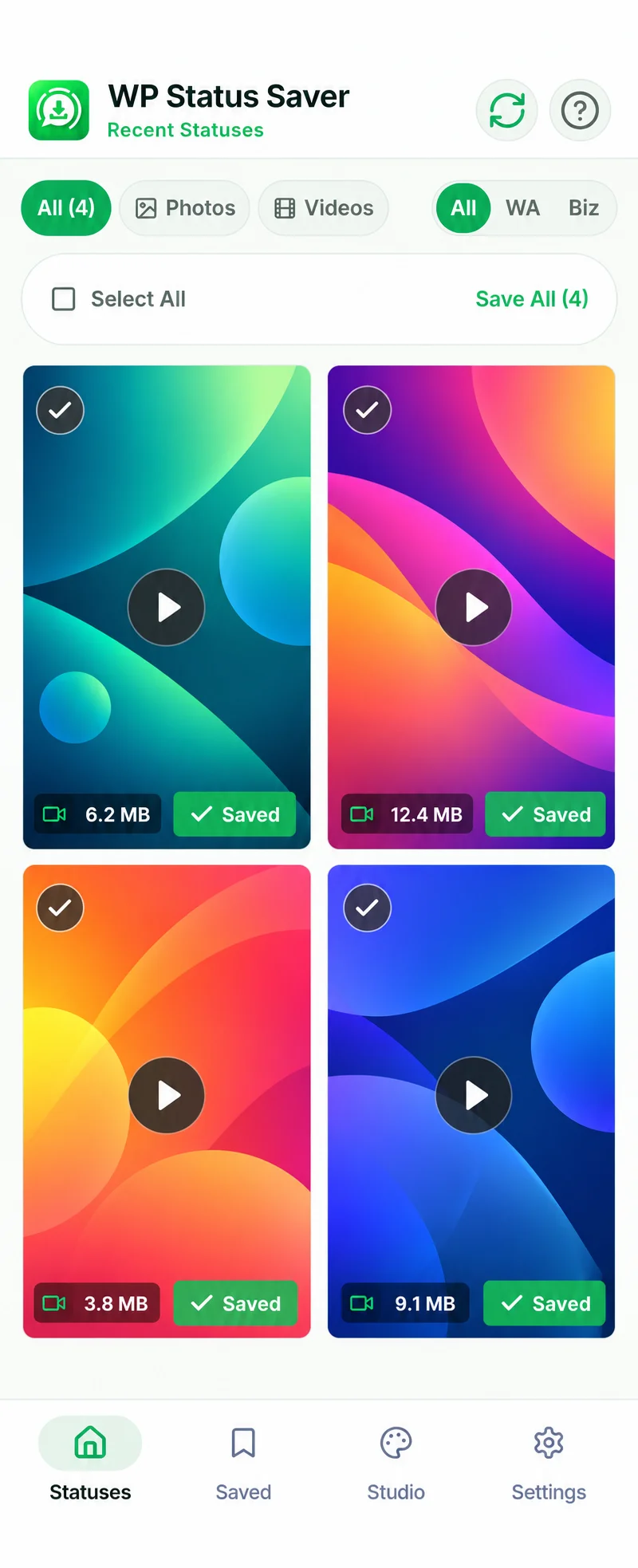
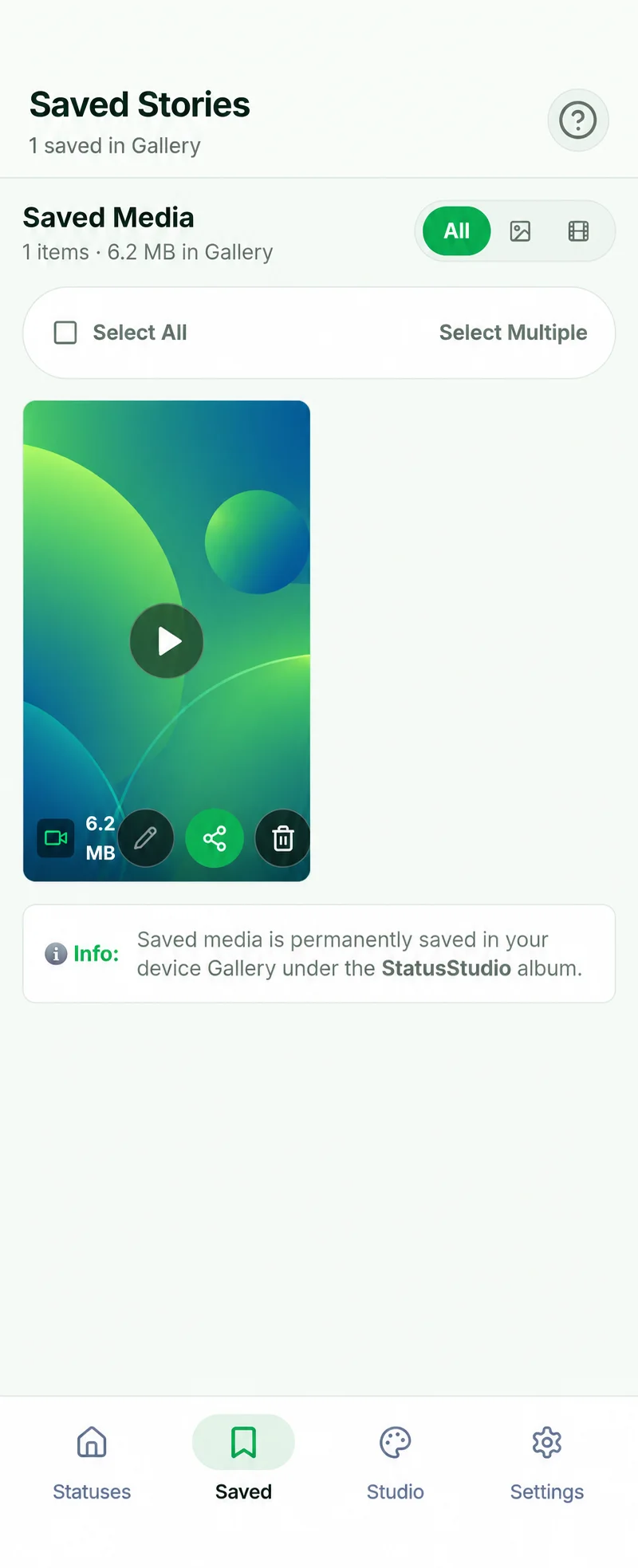
Need to save dozens of vacation stories or product catalog updates? Use the multi-select batch download mode to save everything in seconds. Your media is kept permanently in an organized in-app library and mirrored in your phone’s Pictures folder.
Studio Creator Suite
Craft custom 9:16 vertical cards with quotes, gradients, and stickers.
1080x1920 Export
Lossless high-res exports formatted for WhatsApp Status, Stories, and Reels.
Android SAF Compliant
Uses native folder pickers. All other private device files stay untouchable.
100% Local Processing
No cloud servers, no account registration, and zero data leaves your phone.
How Status Saving Works on Android
Transparent, straightforward, and compliant with modern Android security. No WhatsApp Web logins or complex file managers required.
View Status in WhatsApp
Open your official WhatsApp or WhatsApp Business application and view the status photo or video you want to preserve so Android downloads it to temporary cache.
Open WP Status Saver
Launch WP Status Saver. The app scans your device’s authorized status directory and neatly displays all recent photos and videos in an organized grid.
Preview HD or Design Story
Inspect photo details with zoom, play full video clips with audio, or open the media in Status Studio to design custom 9:16 vertical stories.
Save to Device Gallery
Tap the save button for individual files or multi-select items to batch download them directly to your phone’s Pictures/WPStatusSaver folder.
Simple One-Time Folder Setup (Android 11 to 16)
To comply with Google Play security standards, WP Status Saver uses the native Android Storage Access Framework. When you tap “Give Access”, Android opens the system folder picker. Simply tap “Use this folder” and “Allow”.
Dedicated Support for WhatsApp & WhatsApp Business
Whether you keep in touch with friends or run a store with WhatsApp Business, WP Status Saver organizes media from both official applications in separate dedicated tabs.
Personal WhatsApp
Folder: com.whatsappSave family memories, celebration videos, vacation photos, and status memes shared by your contacts before they automatically disappear after 24 hours.
WhatsApp Business
Folder: com.whatsapp.w4bDownload vendor product catalogs, flash promotional posters, customer reviews, discount announcements, and inventory stories shared across your supplier networks.
Google Play Compliant Storage Access Framework (SAF)
Unlike older insecure apps that demanded invasive “All Files Access”, WP Status Saver strictly utilizes Google’s modern Android Storage Access Framework. You only grant access to the specific status folder, keeping all other private documents and device files 100% untouched.

Status Studio: Design 9:16 Story Cards in Seconds
No need to install complex photo editors. Create aesthetic quote posters, inspirational thoughts, and custom story announcements with the native 9:16 creator suite.
Express Yourself with 9:16 Vertical Creator Tools
Status Studio isn’t just a viewer. It enables you to design brand-new status stories or enhance saved status photos before reposting them to WhatsApp, Instagram Stories, or Facebook.
What WP Status Saver Does NOT Access
We believe in total transparency. Here is a clear breakdown of the strict boundaries built into WP Status Saver.
No Chats or Conversations
WP Status Saver cannot see, read, or access your personal chat threads, group chats, or voice messages. It strictly reads the media cache directory.
No Sent or Received Messages
The app has zero visibility into any text messages, media sent in private chats, or deleted messages. Your conversations remain 100% end-to-end encrypted in WhatsApp.
No Contacts or Phone Numbers
We never ask for or access your phone contacts, address book, or call history. The app does not collect personal identifiers of any kind.
No WhatsApp Account Login
You never need to log in, provide a phone number, enter an OTP, or scan a WhatsApp Web QR code. Your WhatsApp account credentials are never touched.
100% On-Device Processing & Android SAF Sandboxing
WP Status Saver strictly follows Android 11 to 16 Scoped Storage guidelines. The app only accesses the specific status directory you explicitly authorize during setup. There are zero remote servers, no cloud media uploads, and no background tracking.
Read Our Public Privacy Policy
Our complete Data Safety declarations, permission disclosures, and AdMob privacy terms are publicly available on GitHub Pages and mirrored directly inside Google Play.
Frequently Asked Questions
Everything you need to know about permissions, WhatsApp compatibility, photo & video quality, and data safety.
Need Help or Have Feedback?
We are dedicated to building reliable, high-performance Android utility tools. Reach out anytime with bug reports, feature suggestions, or questions.
Direct Email Assistance
Send us an email directly. Our engineering team typically responds within 24 to 48 hours for user inquiries and Android compatibility support.
Quick Troubleshooting Tips
Before reporting an issue, check these common quick resolutions:
Pictures/WPStatusSaver folder.